SSH-ing into Kobo Clara BW E-book Reader’s System Software
I recently bought a Kobo Clara BW e-book reader. While I was copying my e-books to it, I accidentally found that its system software came with an SSH server, which, once enabled, allowed me to explore some internals of the e-book reader’s software as well as hardware.
The Purchase
Since I just purchased this device, I feel that this post would be incomplete if I did not comment on the reason I got it or my experience with it. I shall make some remarks on these aspects before digressing too much.
Motivation
I had already owned a Kindle Voyage for 8 years for reading e-books. Today, I still very much like its page-turn buttons, display quality, and thinness. I would be happy to use it forever if it would not automatically delete the e-books I sideloaded onto it1. Because I would often use my Kindle away from home where there might not be a known Wi-Fi network, I have kept airplane mode almost always on to turn off Wi-Fi, in the hope to save battery. Occasionally, I would connect the Kindle to Wi-Fi at home to download an e-book I just purchased on Amazon, which would often cause my sideloaded e-books to be deleted. This has discouraged me from getting new e-books, neither from Amazon nor by sideloading, because when the sideloaded e-books are deleted, so are my annotations and notes, which I want to save. (I know I can work around this problem using Send to Kindle, but I want to see the book covers on the e-book reader, and my Kindle Voyage has never shown a cover for an e-book sent via Send to Kindle. Perhaps I expected too much?)
Last year, I discovered Kobo’s line of e-book readers and found that they would be more ideal than a Kindle device for me, who spends a lot of time reading sideloaded e-books, especially EPUB files. For starters, I had never heard that Kobo devices would delete sideloaded e-books of its own accord like my Kindle Voyage would do. Also, Kobo devices natively support EPUB, whereas Kindle devices do not (so I had to use Calibre to convert my EPUB files to AZW3 before sideloading them onto my Kindle). I decided to buy one of the Kobo devices when they are on sale.
Kobo had been selling several different e-book reader models, so I had to make a choice. I mostly wanted a substitute of Kindle Voyage rather than a complement, so I looked into the 6-inch Kobo Clara line for a similar form factor, instead of the 7-inch Kobo Libra Colour. There were two choices: Kobo Clara BW, with a black-and-white display like Kindle Voyage has, and Kobo Clara Colour, with a color display and a price just US$20 higher than Kobo Clara BW. Initially, I thought: who on earth would refuse to pay this small premium for a huge upgrade from dull monochrome to a colorful world, and why was the monochrome display still an option? After some research, I learned that the color display would come with trade-offs: a darker background reducing the display’s contrast, and the screen door effect, which would appear like a mesh of some thin, diagonal lines visible on the white background of the display. To me, together, these would seem to make e-books look like they were printed on newsprint rather than fine, high-quality paper (an impression that Kindle Voyage has never failed to make), and I have never liked reading newspapers because of the dirty, smelly low-grade paper used to print them. I also learned an opinion that the color display option would be more suitable for comic and manga fans, whereas for people like me, who mostly read just text, Kobo Clara BW would provide a better experience. Therefore, that was the model I chose.
There were a few events that delayed my purchase. First was a lack of discounts on Kobo Clara BW. A discount had just ended about a month before I learned about Kobo, and Clara BW had never been on sale again until recently. Though, in the meantime, Kobo had a few promotions where only one model was on sale (rather than the full product line, and Kobo’s choice of the model on sale might rotate between promotions, which was interesting to see), like Libra Colour or Clara Colour, none of which was what I wanted. While I was waiting for a discount, the device’s price increased by US$102… Just a few months after that, news reported the launch of a refreshed and improved Kobo Clara BW model, P365, with a larger battery3, which seemed to make my wait worthwhile; however, as I watched buyers’ discussons on Reddit, no customer in the US had ever got P365, and all of them still received the older model, N365, with a smaller battery instead. I had been hoping that, if I kept waiting, P365 would eventually start to be sold in the US, so I could get this “improved” model. Then, some buyers who got P365 reported page-turning issues, and they resolved the issues by getting an N365 or N365B replacement4 (more on the “B” later), suggesting a hardware problem within P365. It turned out the older model was still better functionality-wise after all! I decided to stop overthinking, just wait for the next sale, and settle with whatever model I receive. Two weeks before Christmas, the sale finally arrived, hence my purchase of the device at this time.
Hands-On Experience
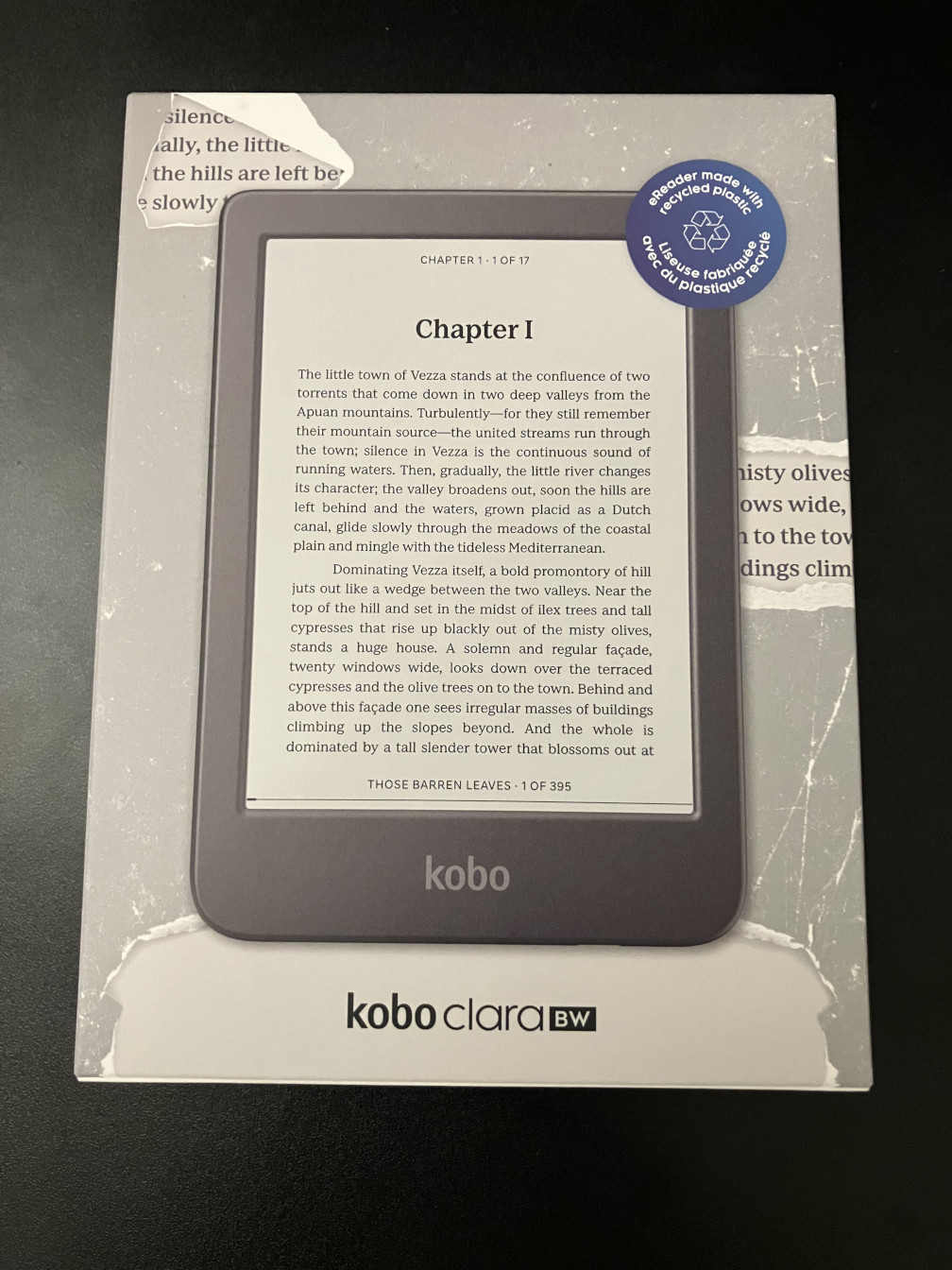
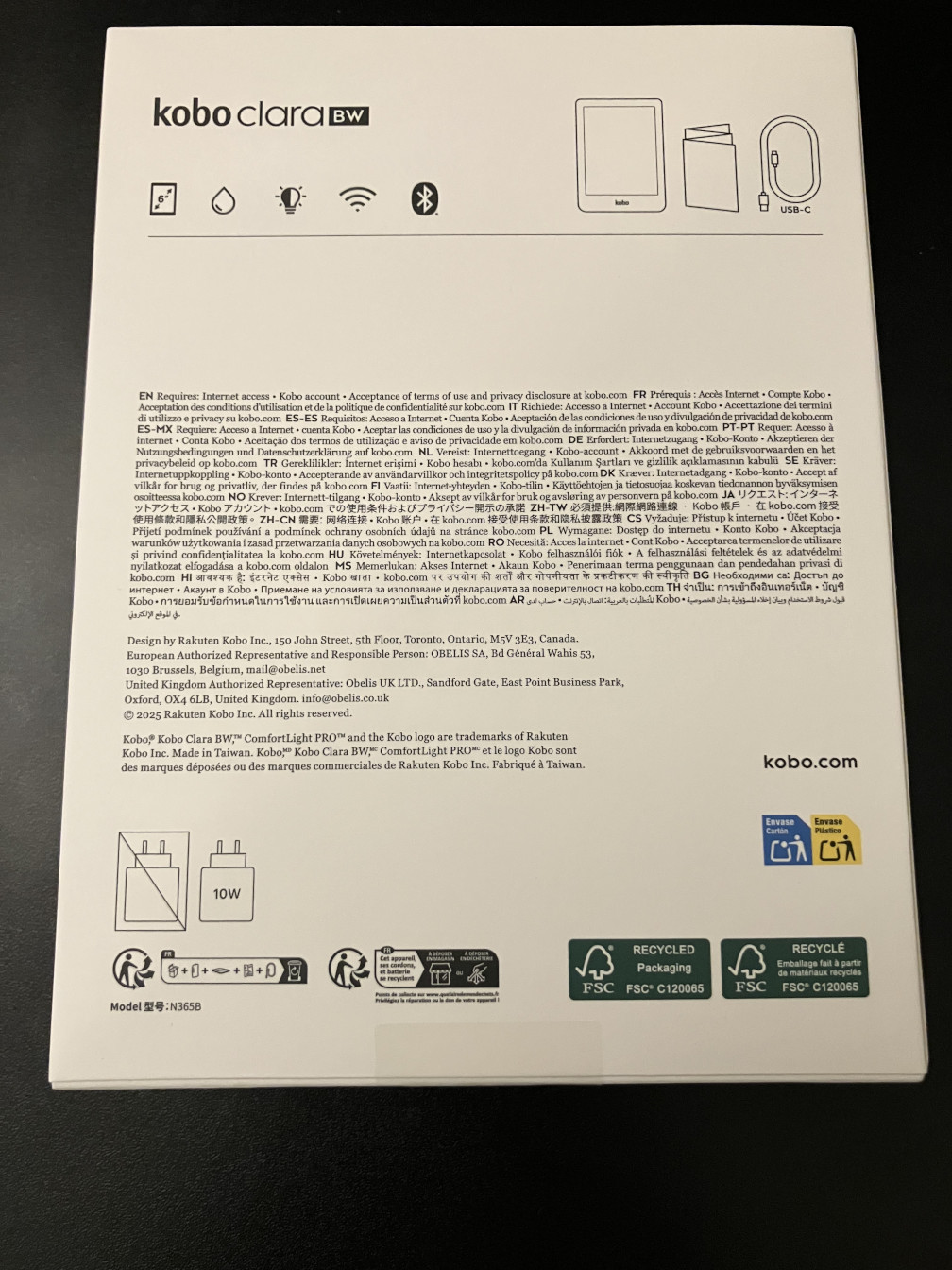

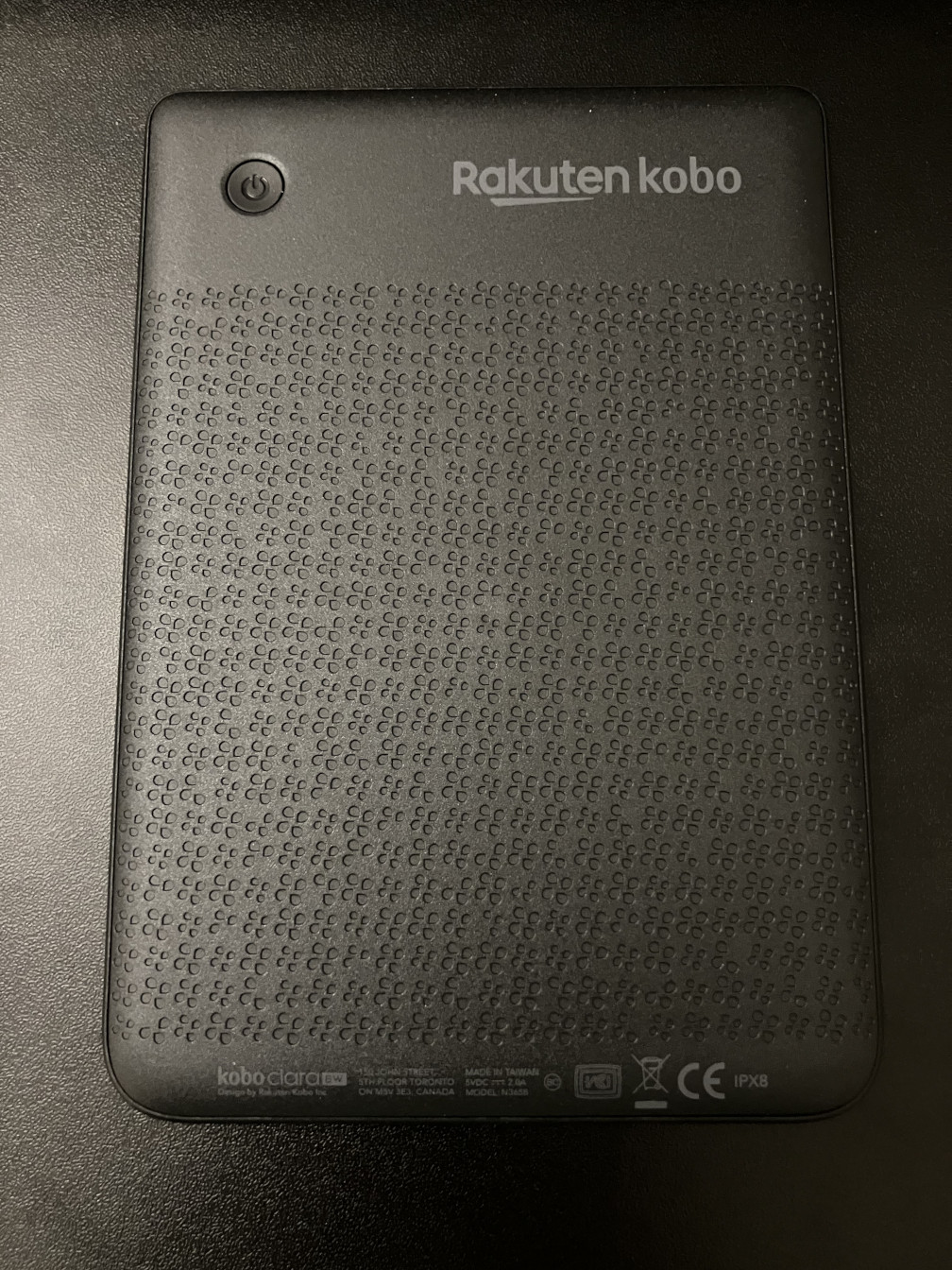
Once my order was delivered, I found that I received the N365B model – neither the original N365 (without “B”) nor P365. According to iFixit5, N365B was another refresh launched two months after P365, and N365B also came with a larger battery at 1900 mAh capacity, which is the same as P365 and different from N365. I am not aware of any further difference between N365B and N365. In fact, battery capacity could be the only difference between them given that I have successfully installed N365’s firmware update package on my N365B (P365 has a separate firmware download link on Kobo’s help page6). It looks like N365B is the best of the three Kobo Clara BW models: it has a larger battery than N365, yet as users have reported4, it does not have the page-turning issues seen on P365.
That said, I have not been able to verify if N365B indeed has a larger battery than N365. At the time of writing, Kobo’s store page for Kobo Clara BW still lists its battery capacity as 1500 mAh, which corresponds to the oldest N365 model; maybe Kobo just has never bothered to update it for N365B, but this does have confused me a bit. I could have pried open my Kobo Clara BW’s back cover and read the battery’s capacity from its label, and iFixit does provide instructions for that procedure7 (for them being Kobo’s official partner for customer self service repairs8), but I do not wish to compromise my device’s waterproofing by any chance as it has an IPX8 rating. I also do not have an N365 device for comparison.
At this moment, the only comment I can make on the N365B model’s battery life is “there is no surprise yet.” At least I need not charge my N365B every day like I do a smartphone, even when I use it a few hours a day; this is a common selling point of E Ink e-book readers like Kindle and Kobo, hence “there is no surprise.” Because I have been frequently plugging my Kobo Clara BW into a computer for sideloading e-books or tinkering with the system software (like enabling SSH), I have not had a chance to use it for a few days without plugging it into any power source, so I have not seen its full battery life potential yet, hence why I cannot make a definitive statement now.
The Kobo Clara BW’s user interface feels way more responsive than that of my Kindle Voyage. Except page flips, every tap on Kindle Voyage could take a second or two to respond, like when opening and closing an e-book, navigating the device settings menu, or waking up the device with the power button. It is bearable, but it is never close to matching my new device. On Kobo Clara BW, these operations are all very snappy, each taking no more than one second to complete under normal operation. Having used the sluggish but still usable Kindle Voyage for 8 years, this contrast is very noticeable, yet the comparison is so unfair considering that these devices were launched 10 years apart, so their processors surely have a huge difference in their horsepower. However, I vaguely recall that my Kindle Voyage’s speed and responsiveness has always been like this since I first started to use it.
Enabling the SSH Server
When I connected my Kobo Clara BW to a computer to sideload books, under the
root of the mounted “KOBOeReader” drive, I noticed a .kobo directory and a
file in it named ssh-disabled. The file had the following content:
To enable ssh:
- Rename this file to ssh-enabled
- Reboot the device
- Connect via: ssh root@<device_ip>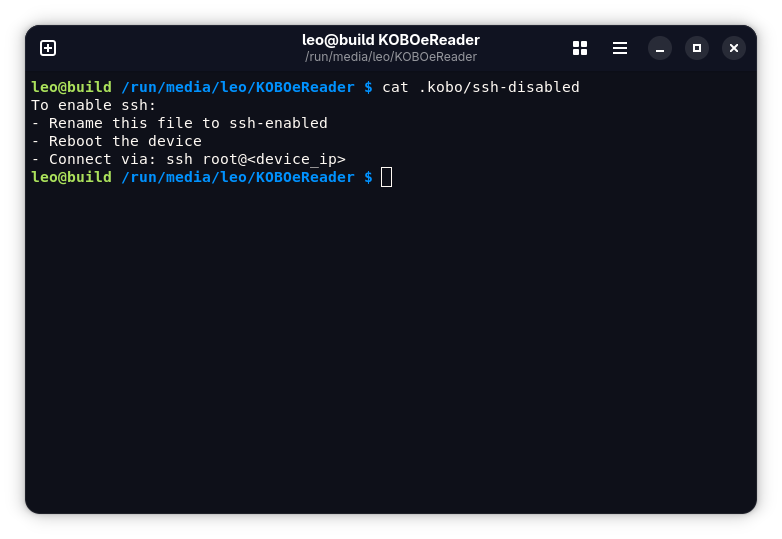
Out of curiosity, I followed these instructions, then I was astonished by the idea of having successfully established an SSH connection with an e-book reader – because I had never associated the term “e-book reader” with “SSH” before. As I can recall now, the last time I had similar astonishment was when I SSH-ed into a Wi-Fi router after installing OpenWrt on it about 7 years ago. There are so many bizarre types of devices one can SSH into.
Because my current Wi-Fi router still runs OpenWrt, which has a built-in DNS
server for LAN devices, I could use the e-book reader’s hostname (which was
kobo by default) instead of its IP address to connect to it, and OpenWrt’s
DNS server would resolve the hostname and translate it to the IP address.
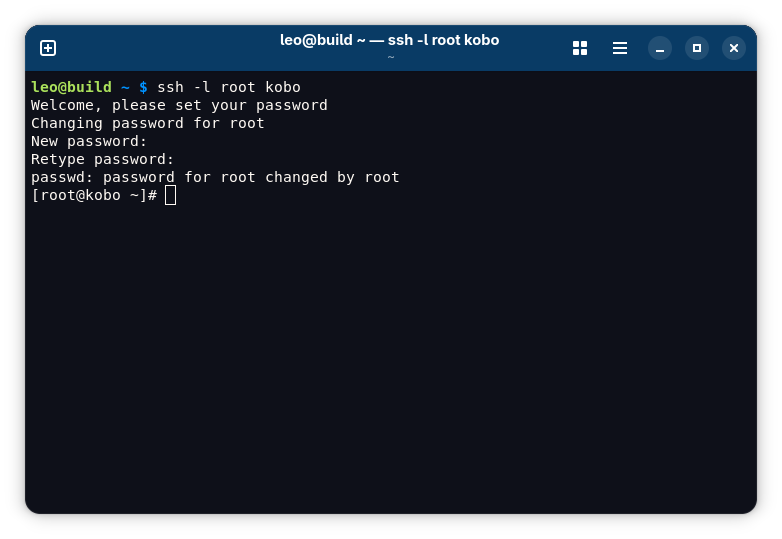
Upon the first time of connecting to the e-book reader after enabling SSH, a prompt for changing the root password will be shown. Once the password is set, the user will find themselves in the shell prompt. All of this suggests that Kobo Clara BW runs a Unix-like operating system as part of its system software.
Operating System
At the moment I connected to Kobo Clara BW via SSH the first time, I was uncertain about which operating system was running on it. My guess was Linux because I knew that is what Kindle devices run, and Linux runs on not only e-book readers but also other types of appliances like Wi-Fi routers too, so it was not impossible that this Kobo device was running Linux too. That said, I could not rule out the possibility that it was running FreeBSD or perhaps another BSD derivative.
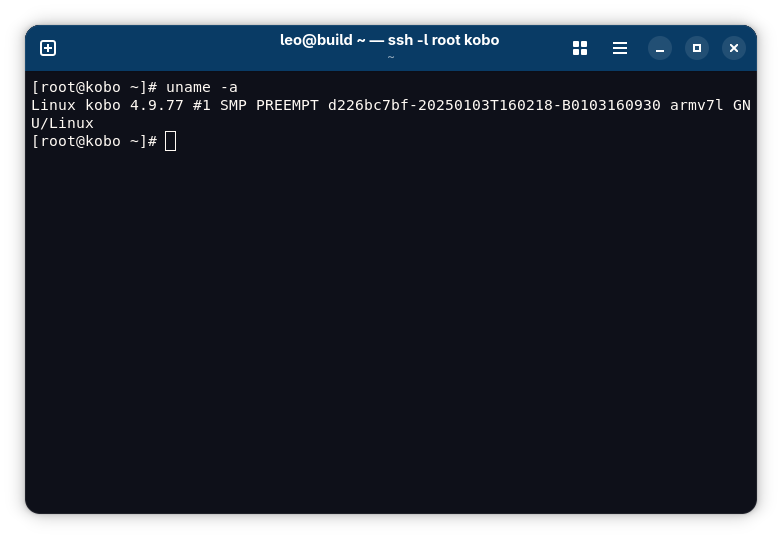
I ran command uname -a from the shell, and the command’s output showed me
that it was running Linux, and it came with a 32-bit ARM processor (ARMv7l).
The output also showed that the Linux kernel release (what uname -r would
print) was 4.9.77, and judging from the timestamp 20250103T160218 in the
kernel version string (what uname -v would print), it was running a Linux
kernel compiled nearly 7 years after the upstream released
it9. Kobo choosing the Linux 4.9.y branch made sense because
4.9 is a longterm kernel branch that received 6 years of upstream support, with
the final release being 4.9.337 in January 2023; however, regardless of whether
Kobo deliberately chose a longterm kernel, they clearly did not fully exploit
its extended support lifecycle as they had never upgraded to even just a newer
release in the 4.9 branch, like 4.9.337.
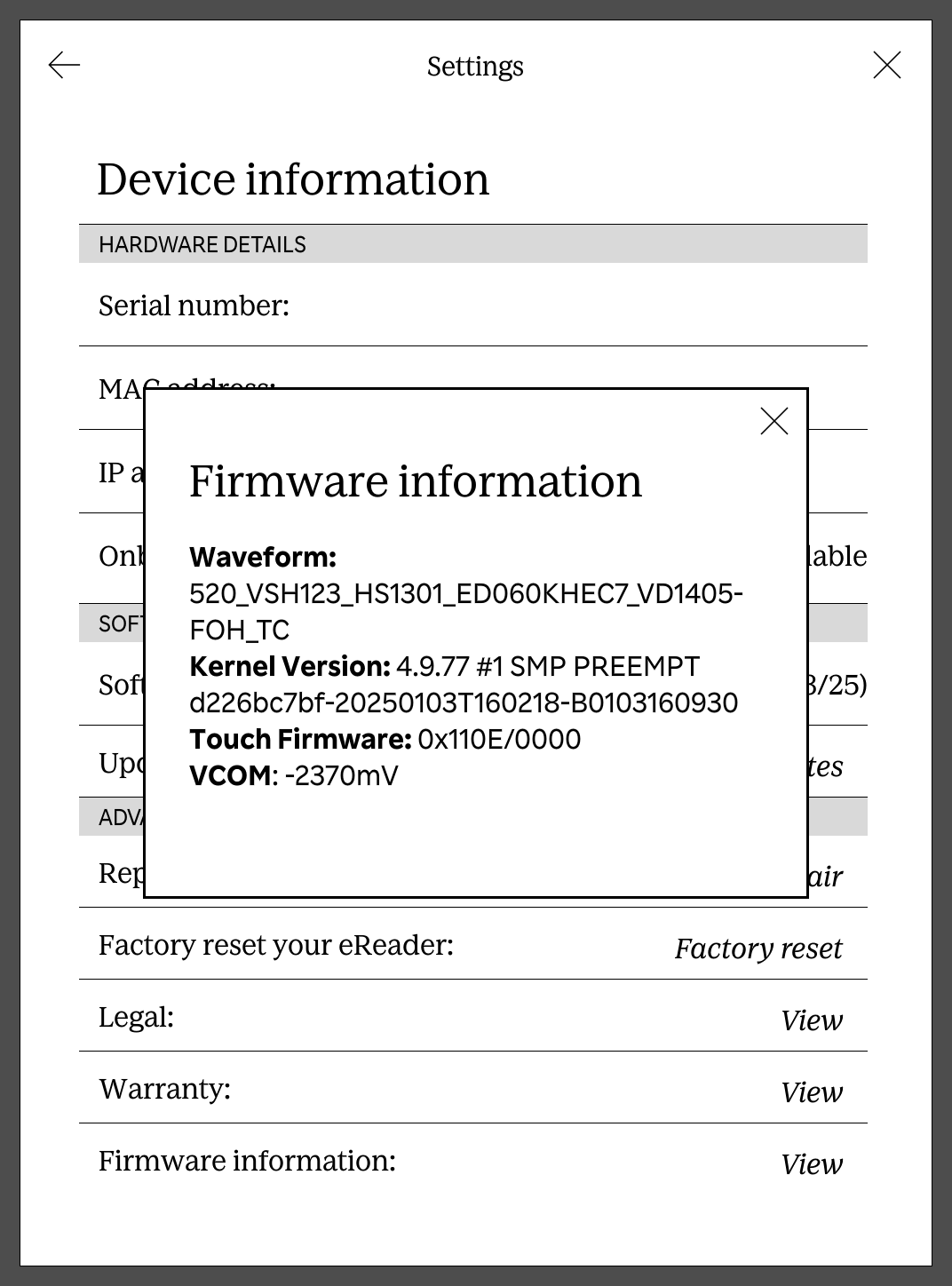
However, only later, I found another way to get the same information directly from Kobo Clara BW’s stock user interface, without having to enable SSH at all. On the device, go to Settings > Device information > Firmware information, and the kernel version is displayed there as well.
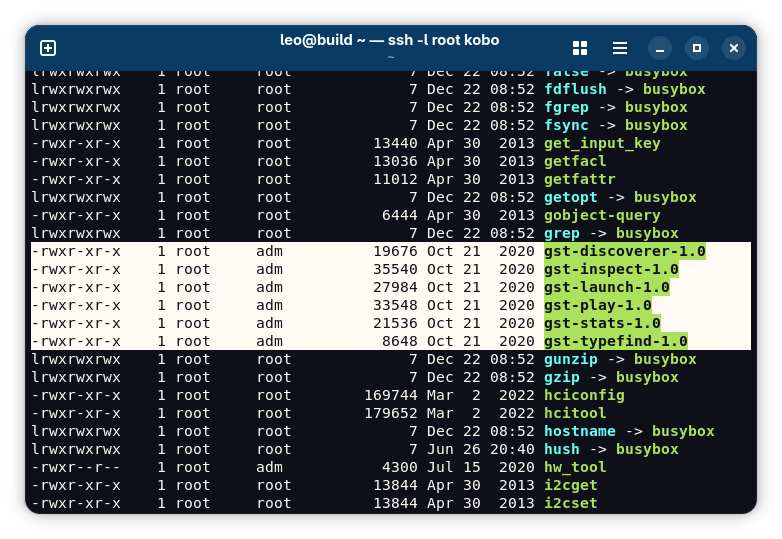
For the user space, the existence of many symbolic links under /bin, /sbin,
/usr/bin, and /usr/sbin whose target was all busybox unmistakably
announced that BusyBox was used, which was not a surprise because of how common
BusyBox is used on low-power, low-performance devices.

It was also fascinating to see some GStreamer executables on Kobo Clara BW. Sure, the e-book reader was already running an operating system kernel that also powers many supercomputers around the world, so finding on an e-book reader the same software that conventionally runs on personal computers would probably be unsurprising. However, when the software in question was a multimedia framework, installed on both an e-book reader for some reason and my laptops and workstation, I was not indifferent. I guess Kobo included GStreamer for the purpose of playing audiobooks.
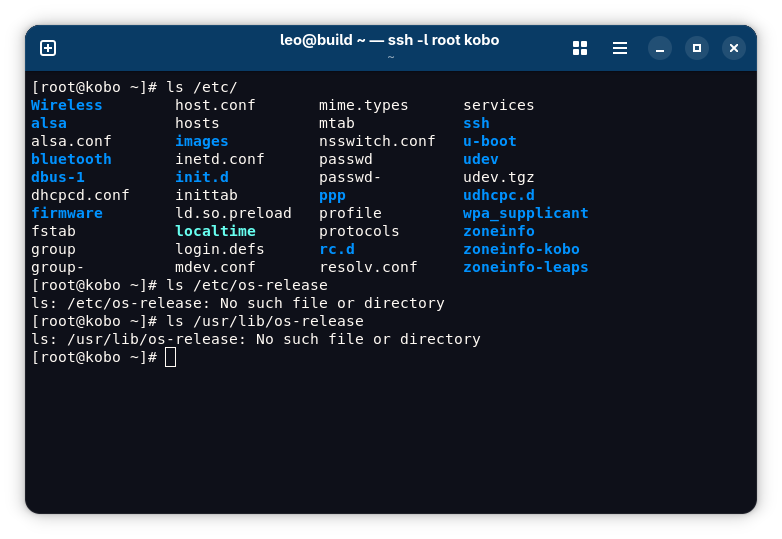
I also wondered if the system software on Kobo Clara BW was built upon any
Linux distribution. I could not find any trace of use of an established
distribution, so my best guess was Kobo did not use one, which would be
roughly equivalent to saying that Kobo built their own distribution for their
e-book readers. There was not an /etc/os-release or /usr/lib/os-release
file to tell the distribution. No package manager command could be identified
under /usr/bin (since there is basically no need for package management on an
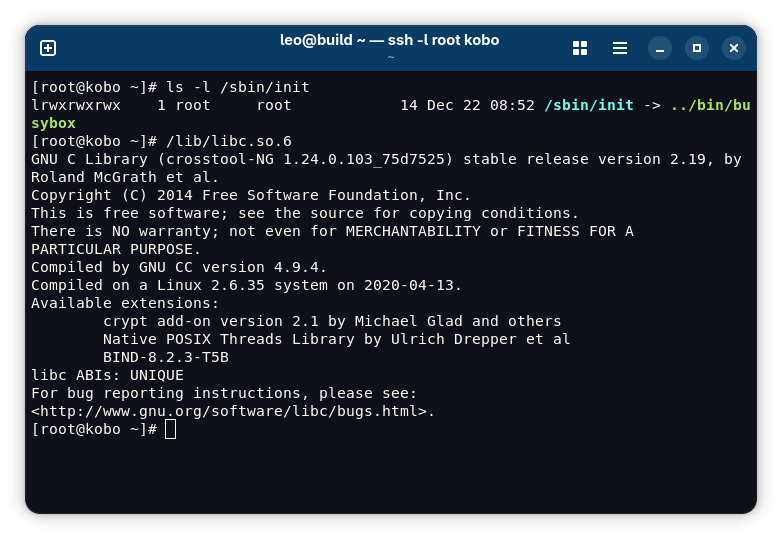
e-book reader). Certain combinations of software packages may also identify a
distribution, like musl, BusyBox, and OpenRC identifying Alpine Linux, but Kobo
Clara BW came with a unique union of glibc and BusyBox – where BusyBox also
serves as the init system, for /sbin/init being a symbolic link to
/bin/busybox – unseen on any other distribution.

Hardware
With an SSH connection to Kobo Clara BW, it was possible to get all its hardware specification details that could be queried using a command on Linux.
CPU
The system software on Kobo Clara BW did not include the lscpu command, but
lscpu is not the only way to get information about the CPU. The
/proc/cpuinfo file on Linux also provides many CPU specifications that
lscpu would give.
/proc/cpuinfo reported that the CPU on Kobo Clara BW had a single core (for
just listing one processor), and it identified the CPU model as “MediaTek
MT8110 board”. It did not list the clock speed, though both Kobo’s store page
for Kobo Clara BW and iFixit5 list (and just list) “1.0
GHz” for the CPU. Good e-Reader, a third-party news website, reported that
the actual CPU model is MediaTek MT8113L10.

The CPU is another difference between Kobo Clara BW and Kobo Clara Colour besides the display. Kobo Clara Colour’s CPU is said to be a dual-core 2.0 GHz one. With an additional US$20, one could get not just a color display (with some trade-offs) but also a faster CPU. I do not have a Clara Colour for comparison to see for myself how much this CPU specification bump translates to better performance. In comparison videos I found online11 12, navigating the e-book library was slightly faster on Clara Colour, but page turning was a bit faster on Clara BW. When it came to opening and closing e-books, interestingly, in one video11, comics and graphic e-books, which are better consumed on Clara Colour thanks th its color display, opened faster on Clara BW actually, and e-books with text, which would look better on Clara BW, opened faster on Clara Colour.
RAM
The technical specifications of Kobo Clara BW list 512 MB as the memory
capacity. This was verified by the free -m output, which showed 438 MiB.
Few people properly distinguish MB (megabyte, equals 1,000,000 bytes) from MiB
(mebibyte, equals 1,048,576 bytes), so I am not sure whether, by “512 MB” in
the specifications, Kobo meant 512 MB or 512 MiB; assuming they did mean MB,
512 MB equals about 488 MiB, and the remaining unaccounted 50 MiB difference
was probably reserved by the low-level firmware.
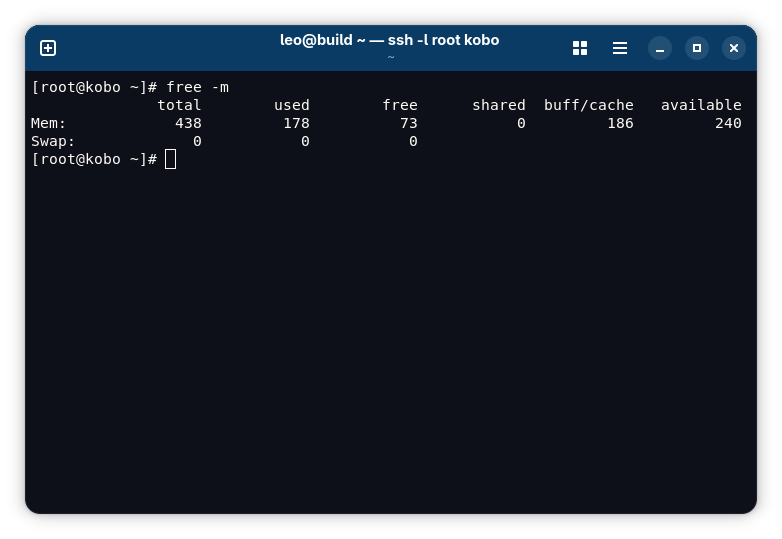
The 512 MB memory seemed sufficient enough. I took the above screenshot after opening a few e-books, reading a few pages, and browsing a few items in the store on my device, and only 178 MiB of memory was in use by processes.
Battery
Although I could not pry open my N365B model without compromising waterproofing
to learn its battery capacity, I could get this information in a software
manner now that I had an SSH connection to it: I could find the battery device
under the /sys filesystem in /sys/class/power_supply and read the files
under the battery device’s directory to get the battery’s parameters.
On Kobo Clara BW, there were two devices under /sys/class/power_supply:
bd71827_ac and bd71827_bat. These devices’ names were pretty
self-explanatory: the latter was clearly for the e-book reader’s internal
battery.
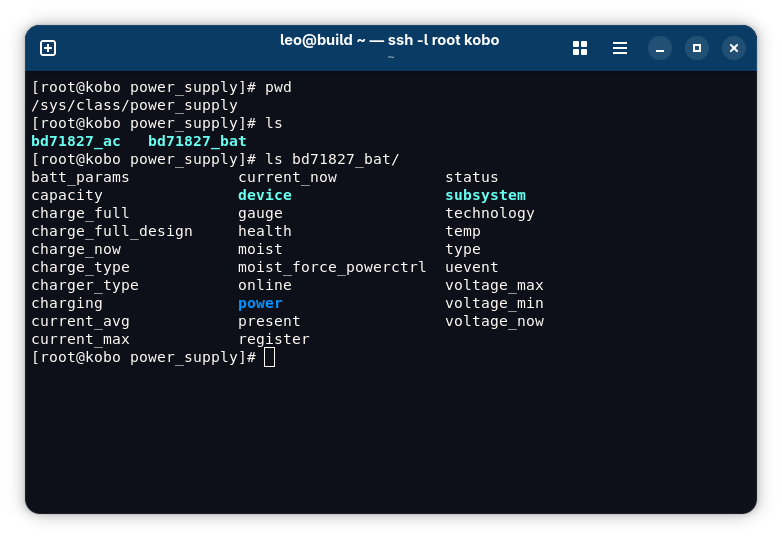
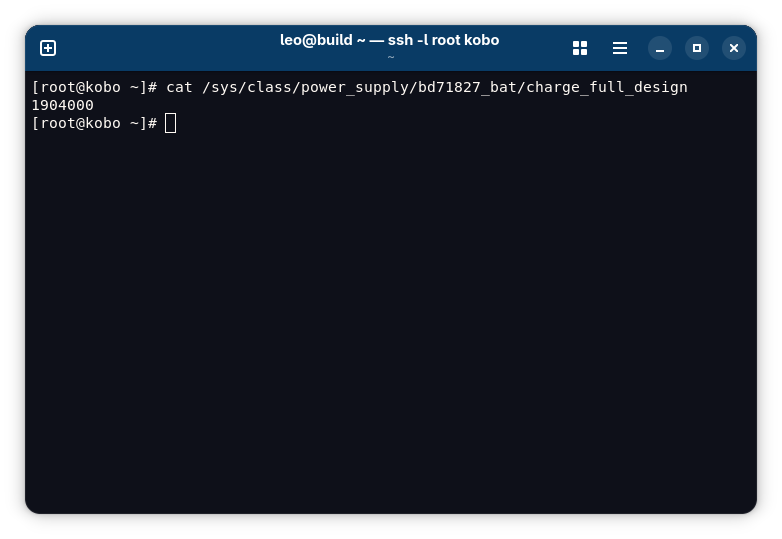
Therefore, the /sys/class/power_supply/bd71827_bat/charge_full_design file
was supposed to tell the capacity of N365B’s battery. Its content was
1904000. The unit should be μAh as I learned by reading the
charge_full_design file’s content for the battery of a laptop, whose capacity
I knew. Therefore, according to this file, the N365B model’s battery capacity
was 1904 mAh.
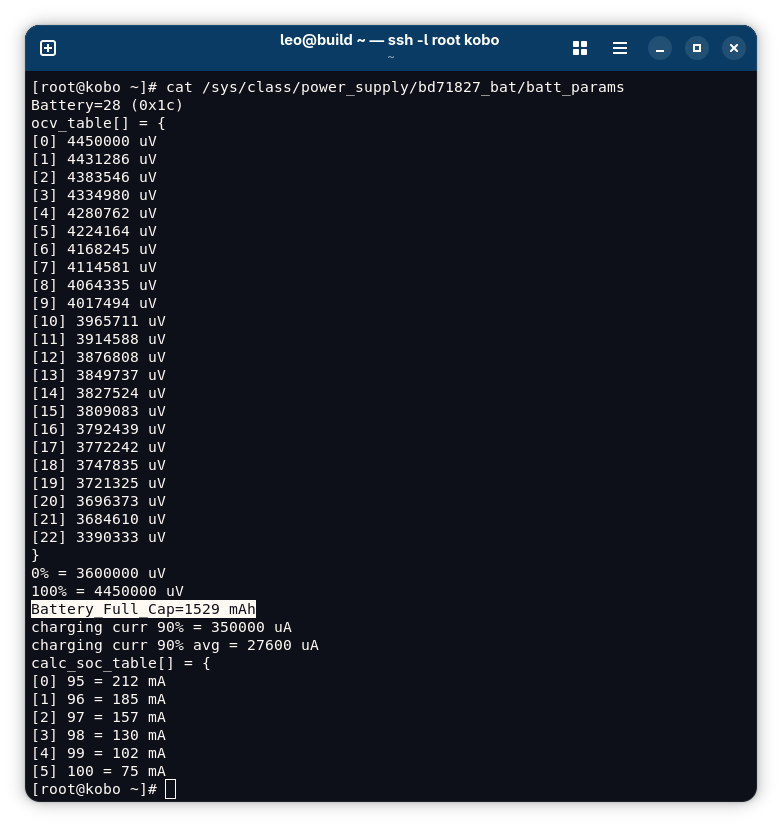
However, another file under the same directory, batt_params, seemed to
disagree. After noticing this file, out of curiosity, I checked this file’s
content and surprisingly found that it had a line saying Battery_Full_Cap=1529 mAh. I had no clue about why, and due to this discrepancy, I still cannot
make a definitive statement on N365B’s battery capacity. My guess was that
this value was statically hard-coded somewhere in the firmware or kernel for
the N365 model’s 1500 mAh battery originally, and so it would not be read fresh
new every time from the installed battery. The Battery_Full_Cap value was
probably reused for N365B without changing; after all, N365 and N365B share the
same firmware update package6.
Stock User Interface
The SSH server on Kobo Clara BW would keep running regardless of what the user was doing on the device, so I could interact with an SSH session while reading an e-book, navigating the library, or exploring the store. Therefore, I had an idea of viewing which processes were running on the e-book reader while I was using it normally.
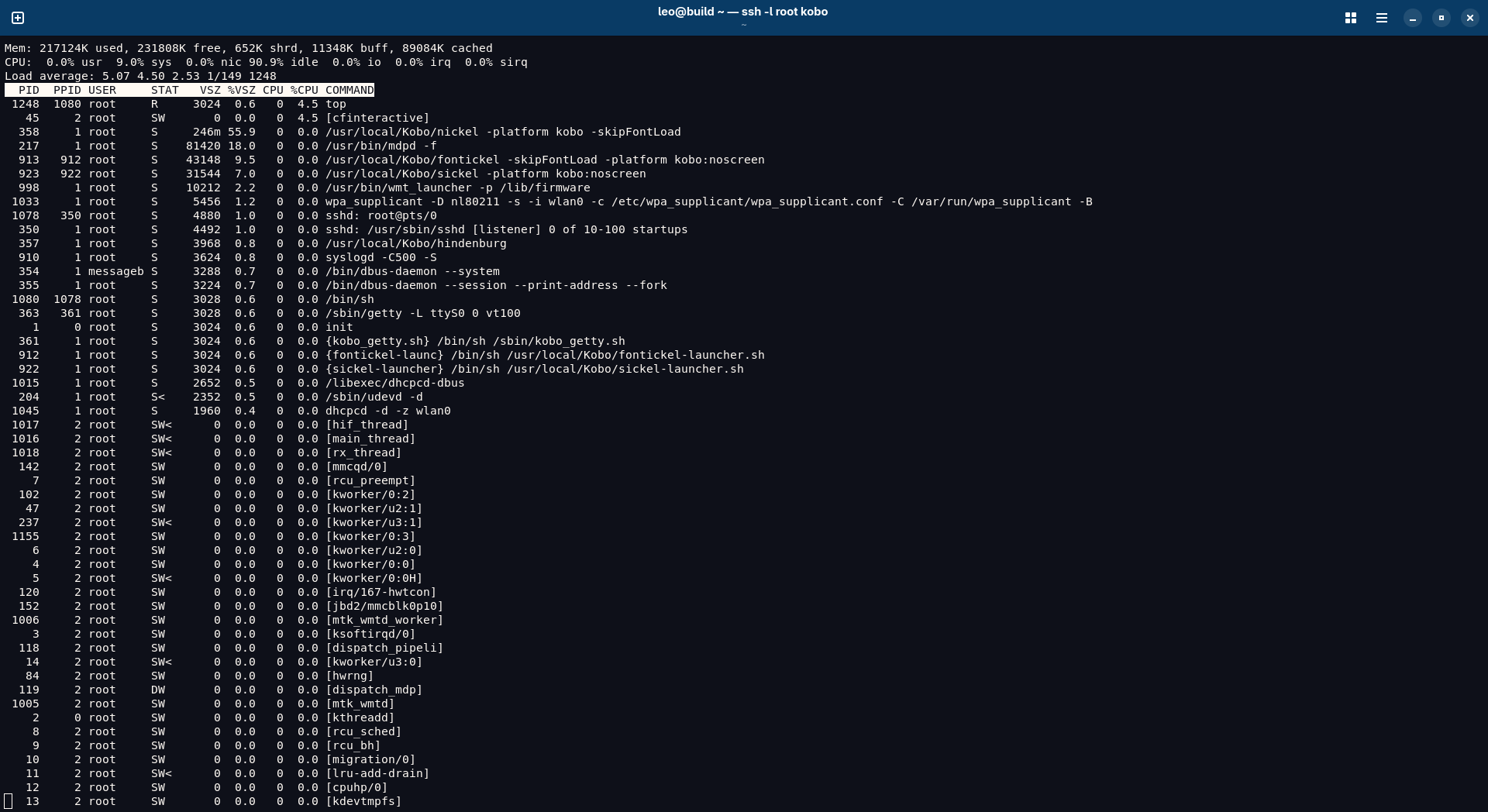
When I ran top in an SSH connection, I saw some usual suspects, like sshd
for the SSH server daemon, wpa_supplicant for Wi-Fi connection, dhcpcd for
DHCP for the Wi-Fi connection, and /bin/sh for the shell. I also saw some
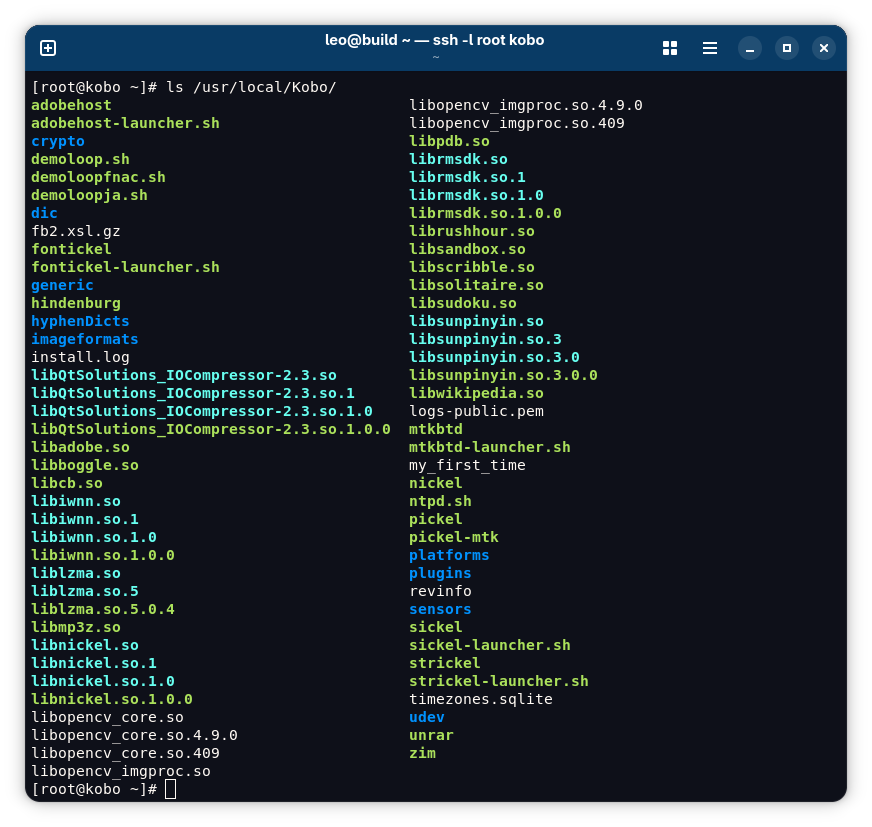
processes whose executable path was under /usr/local/Kobo, such as
/usr/local/Kobo/nickel.
As I learned later through installing custom plugins (which deserves separate
posts because my experience there was very enjoyable), Nickel is the name of
the stock user interface on Kobo devices. Basically, the architecture of the
Linux system on Kobo Clara BW was that the base system provided more primitive
hardware and software support for the e-book reader’s functionality, like
wpa_supplicant for Wi-Fi, GStreamer for audiobooks, and /usr/local/Kobo
contained the software for the stock user interface itself running atop the
base system. For example, under /usr/local/Kobo, there was libwikipedia.so
for looking up a term in an e-book on Wikipedia, and libadobe.so was likely
for opening EPUB files with Adobe DRM judging from its name.
In the top output, there was one thing I felt a bit uneasy to see: almost all
processes, including Nickel, were running as the root user, with the maximum
privilege available on the device. If Nickel had a vulnerability that an EPUB
file (which is what an e-book from the Kobo store comes as) could exploit, then
a malicious EPUB file could easily compromise the e-book reader entirely
because it would be opened by a process running as root. As a reminder, Kobo
Clara BW’s system software already had out-of-date software packages, like the
Linux kernel, screaming the word “vulnerabilities”.
Filesystem
I decided to further explore the filesystem on Kobo Clara BW in the hope to
find more interesting things about the device. First, I wondered where the
contents of the “KOBOeReader” drive were stored in the filesystem; when the
e-book reader was connected to a computer, this drive would be mounted on the
computer to let the user sideload e-books. I found them at /mnt/onboard.
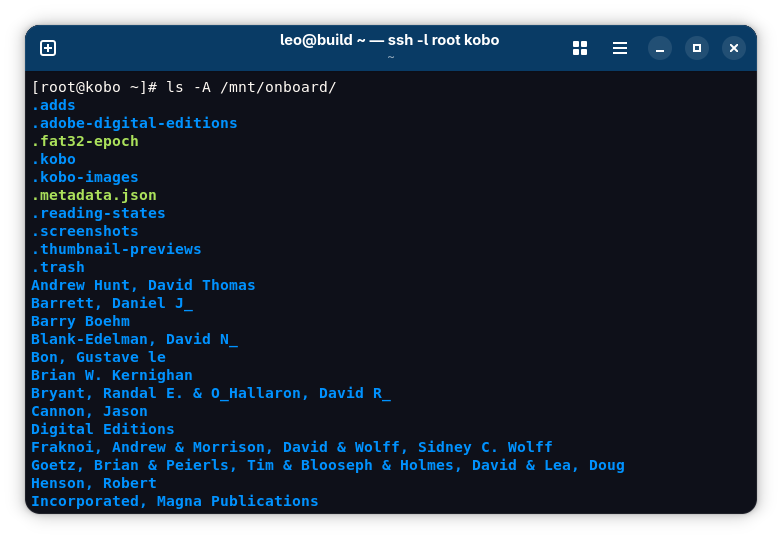
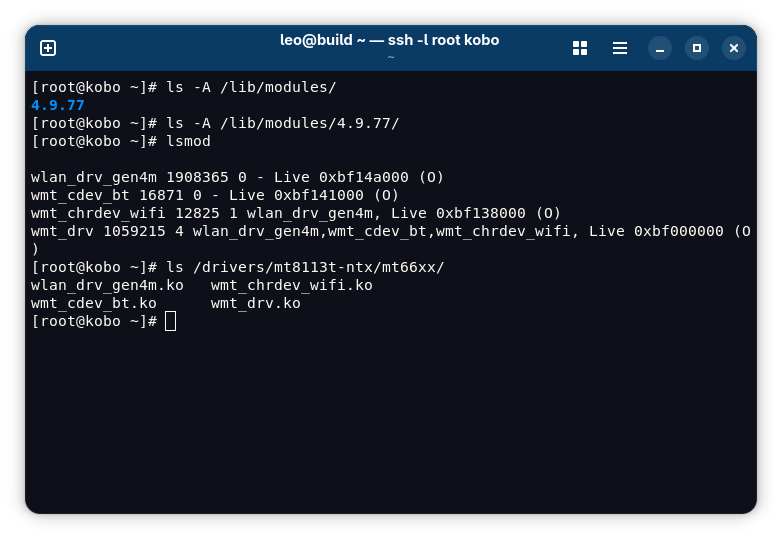
I also decided to check what Linux kernel modules Kobo chose to include in Kobo
Clara BW’s system software, maybe because I configured my own Linux kernel to
exclude unneeded kernel modules on my computers running Gentoo Linux, so I was
curious to see how Kobo did the task I had been doing. First, I found that
/lib/modules/4.9.77, the standard path where kernel modules for Linux release
4.9.77 were supposed to be, was an empty directory. This made me thought that
Kobo configured a real monolithic Linux kernel with no kernel modules at all,
so I checked lsmod output, noticing that there were four modules loaded
rather than zero. These kernel modules were stored at a different path,
/drivers/mt8113t-ntx/mt66xx. As these kernel modules’ names suggest, they
were for the Wi-Fi (and maybe also Bluetooth) hardware on Kobo Clara BW.
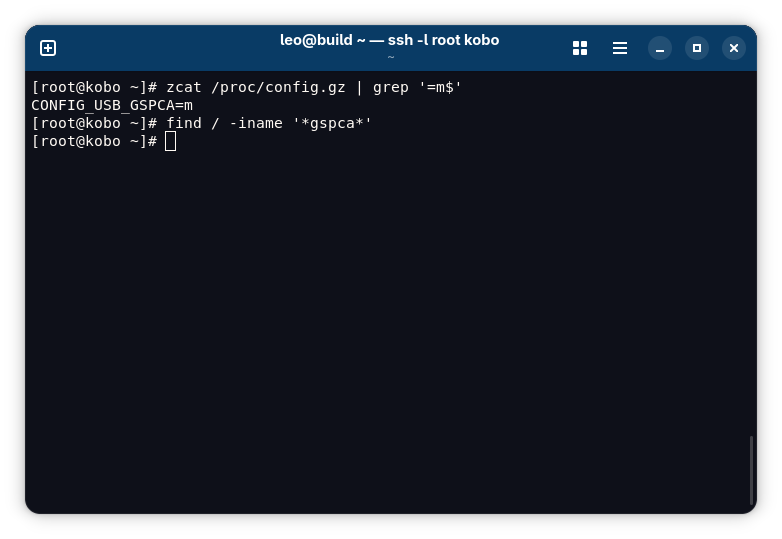
The kernel on Kobo Clara BW made its configuration available at
/proc/config.gz, so I chose to check this file and verify if those four
kernel modules were indeed enabled as modules (m). However, I could not find
the kernel configuration options for those modules. It seemed that the four
loaded kernel modules were out-of-tree modules.
In fact, there was one different option – and only one option – that was
enabled as a module, which was CONFIG_USB_GSPCA. This option was for webcam
support, which was clearly not needed for Kobo Clara BW for it does not have a
camera, so Kobo did not have a good reason to enable this option.
Nevertheless, the built kernel module could not be located in the filesystem;
maybe Kobo intentionally did not ship it, knowing that it would be useless
after all.
Disabling the SSH Server
After all this exploration, I disabled the SSH server by deleting the
.kobo/ssh-enabled file and restarting the e-book reader. It is OK to just
delete this file rather than rename it back to ssh-disabled because if the
system software cannot find either ssh-enabled or ssh-disabled on boot, it
will disable SSH and recreate the ssh-disabled file. The SSH server can be
enabled again by following the same procedure as before, and every time the SSH
server is disabled and re-enabled, the device will ask to set the root password
again upon the first login.
Practically, keeping the SSH server enabled throughout normal use of the device should not cause any harm as long as the root password is strong and secure. I did not observe any significant power consumption increase caused by enabling the SSH server. I still disabled it because keeping it enabled would have some theoretical adverse effects. I set a random yet still memorable password created with diceware, so the odds of anyone correctly guessing the password was one in way more than a trillion, but still not zero (which would be practically impossible to achieve); on the other hand, disabling the SSH server altogether would reduce the probability of unauthorized logins to zero completely. Also, I could not confidently say that an SSH daemon process running in the background, even merely listening to incoming connections and not serving any active sessions, would consume no power at all, though I could not refute the claim that the power consumption would be negligible either. However, what I believe is true with more confidence, is that if someone at a public place, like an airport, was trying to brute-force my e-book reader’s root password when I connected it to a public Wi-Fi, the flooded connection requests and password checks surely could consume the battery significantly, even if the attacker would likely never successfully guess my password and thus acquire root access to my device.
-
https://blog.the-ebook-reader.com/2024/02/01/beware-of-airplane-mode-on-kindles-if-you-sideload-books/ ↩︎
-
https://goodereader.com/blog/kobo-ereader-news/kobo-e-readers-are-now-10-more-expensive ↩︎
-
https://goodereader.com/blog/electronic-readers/the-kobo-clara-bw-now-has-a-larger-battery ↩︎
-
https://www.reddit.com/r/kobo/comments/1mgjzv4/comment/neo3efy/ ↩︎ ↩︎
-
https://www.ifixit.com/Device/Kobo_Clara_BW#Section_Technical_Specifications ↩︎ ↩︎
-
https://help.kobo.com/hc/en-us/articles/35059171032727-Manually-Updating-your-Kobo-eReader-device-Firmware ↩︎ ↩︎
-
https://www.ifixit.com/Guide/Kobo+Clara+BW+(N365B)+Battery+Replacement/192074 ↩︎
-
https://help.kobo.com/hc/en-us/articles/21137184146071-Repair-your-Kobo-eReader ↩︎
-
https://git.kernel.org/pub/scm/linux/kernel/git/stable/linux.git/tag/?h=v4.9.77 ↩︎
-
https://goodereader.com/blog/electronic-readers/first-look-at-the-kobo-clara-bw-e-reader ↩︎